// UX CASE STUDY
// 2026
Shop by voice.Pay one honest total.
SwiftCart is an iOS shopping app for people with no time to scroll. We set out to make finding a product as quick as saying it, and to keep the price the same from cart to receipt.
Role
Product Designer
Timeline
8 weeks, 2026
Platform
iOS
Focus
Voice search, checkout
// 02 THE PROBLEM
People already knew what they wanted.The app made them type it, then changed the price at the end.
// WHERE IT BROKE · FINDING
Typing is
the slow part
Shoppers usually know the product they want. Typing it on a phone, one item at a time, is where the time goes.
// WHERE IT BROKE · PAYING
40%
of US shoppers who abandoned a checkout said extra costs (shipping, tax, fees) were the reason. It is the top reason in the study.
Source: Baymard Institute, cart abandonment research
// WHAT WE SET OUT TO DO
Say it, see it,then pay it
Make finding a product as quick as saying it, and show the full price before anyone taps pay.
“Our shoppers are leaving full carts behind because finding items takes too long and the real total only shows up at the very end. We need ordering to feel fast, clear and effortless.”
// 05 KEY DECISION 01
Voice had to feel like part of shopping,not a separate app.
// THE PROBLEM
People want to say their list, but a voice feature in its own tab is one more place to learn and one more tap to reach.
// THE CONSTRAINT
It had to work on slow mobile data, and never trap someone who can’t or won’t speak out loud.
// HOW WE CHECKED IT
7 of 8 testers found voice on their first try, without help.
// OPTION A
A separate voice tab
Simple to build, but hidden. Voice would feel like a different product inside the app.
// OPTION B
ChosenVoice built into search
A mic in the search bar and a raised voice button open the same listening sheet over Home. Typing stays one tap away.
// WHY WE CHOSE OPTION B
Voice inside search means there is nothing new to learn. The sheet keeps Home visible behind it, so people never feel they left the store.
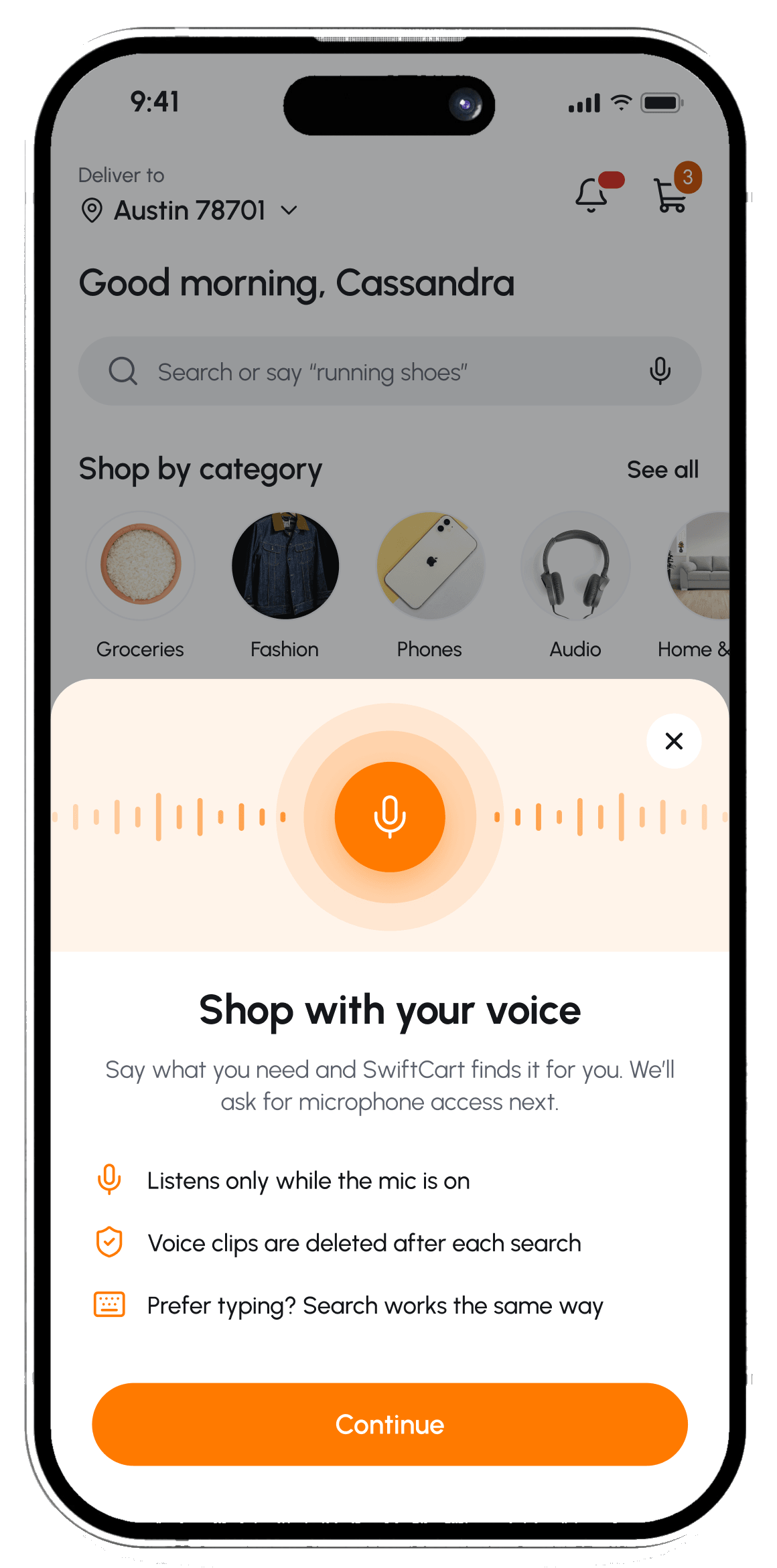
01 Ask once
Explain why before the mic opens.
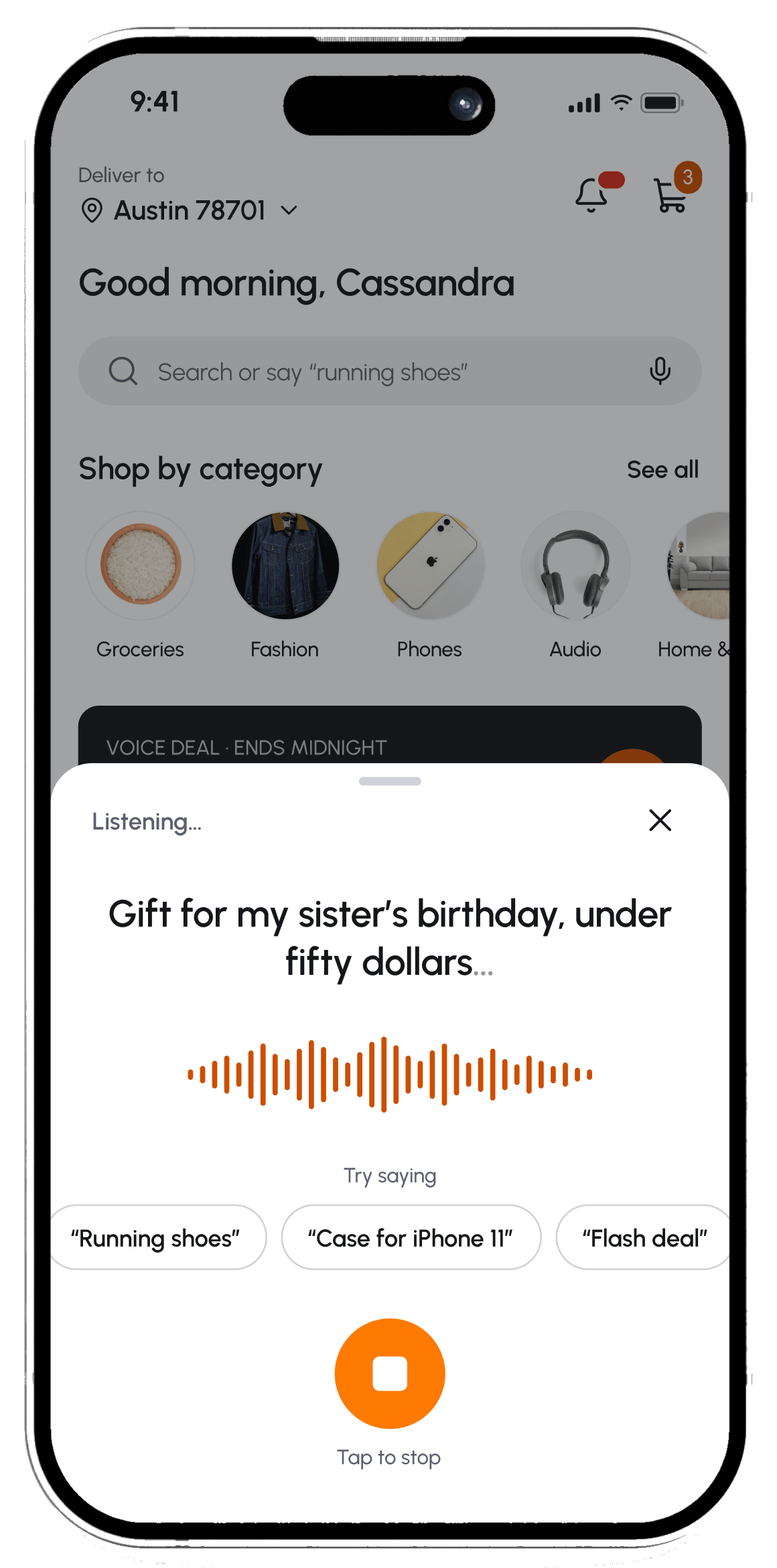
02 Listen live
Words appear as they are heard.
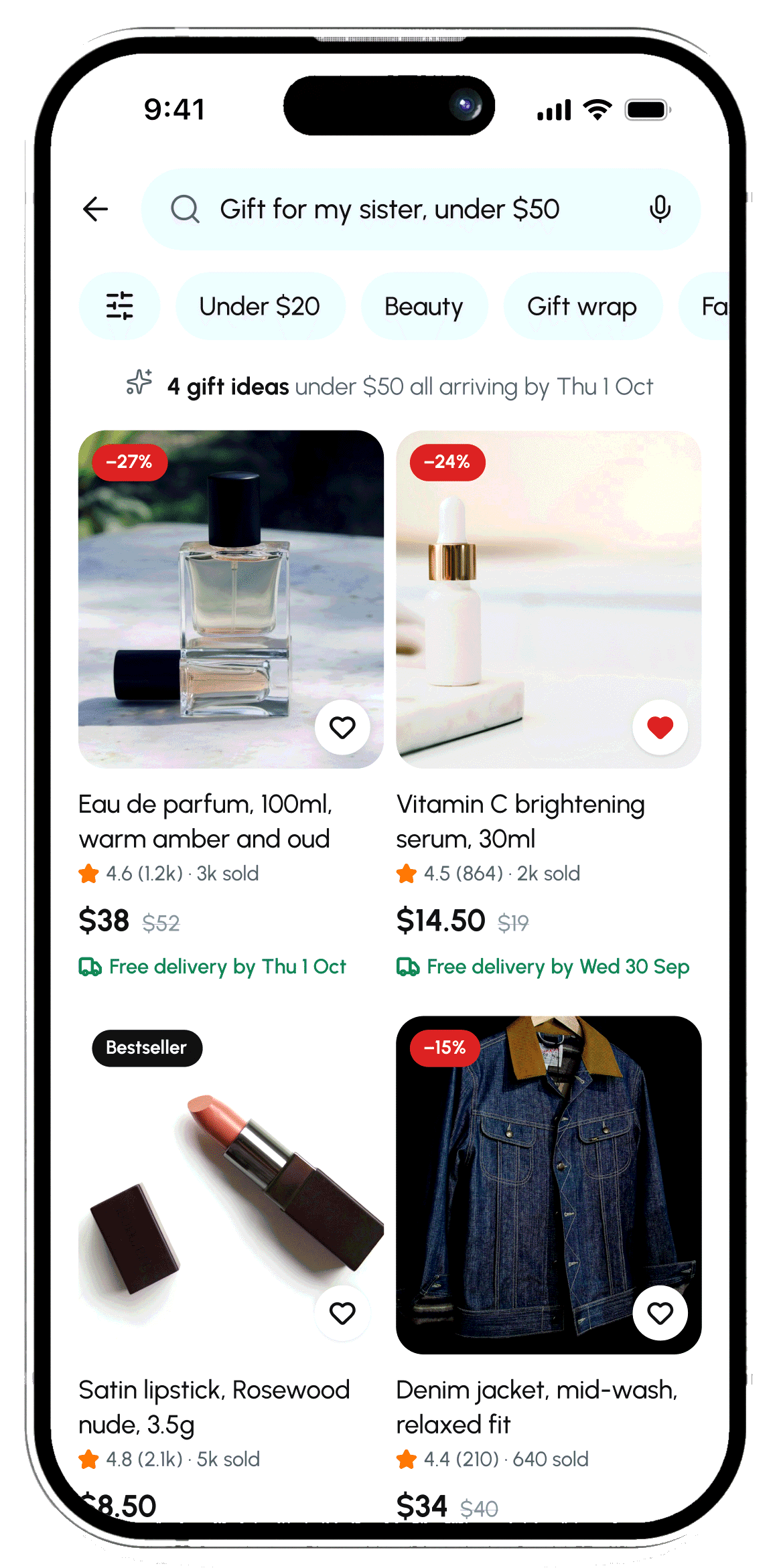
03 Ready to add
A normal list, sorted for the request.
 →
→
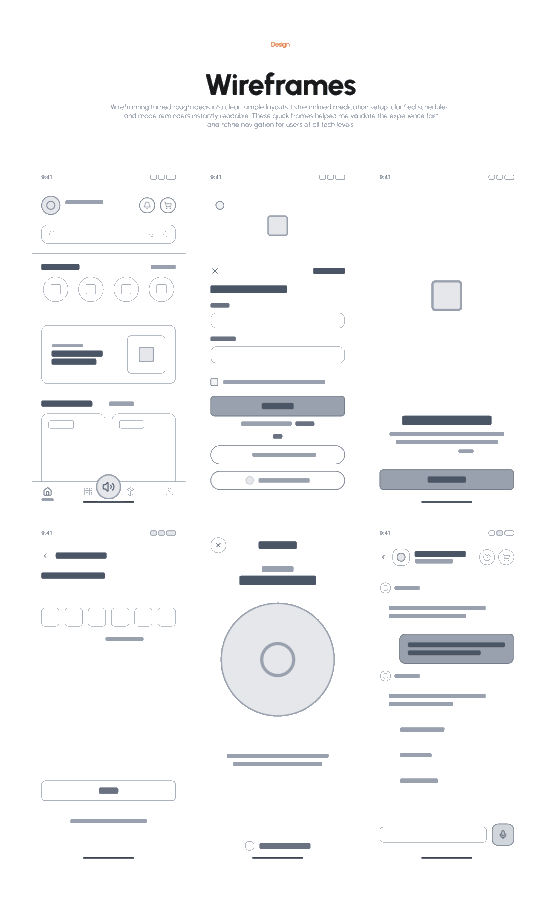
// BEFORE · FIRST WIREFRAME → AFTER · FINAL DESIGN
Our first wireframe put voice in the tab bar, where it read as a separate feature. The final design moves the mic into search, where shopping already starts.
// 07 KEY DECISION 02
One honest total,from checkout to the receipt.
// THE PROBLEM
Many checkouts show a subtotal, an estimate and a final total on different screens, so the number people agree to keeps moving.
// THE DECISION
Every fee appears before payment. The same total sits on the pay button, the confirmation and the receipt.
// THE TRADE-OFF
Splitting cart and checkout adds one screen. We accepted it, because each screen then asks for one clear decision.
// THE RULE WE KEPT
If a number changes, the screen says why, right next to it. Savings always show in green.
// HOW WE CHECKED IT
6 of 8 testers could repeat the final total without scrolling back.
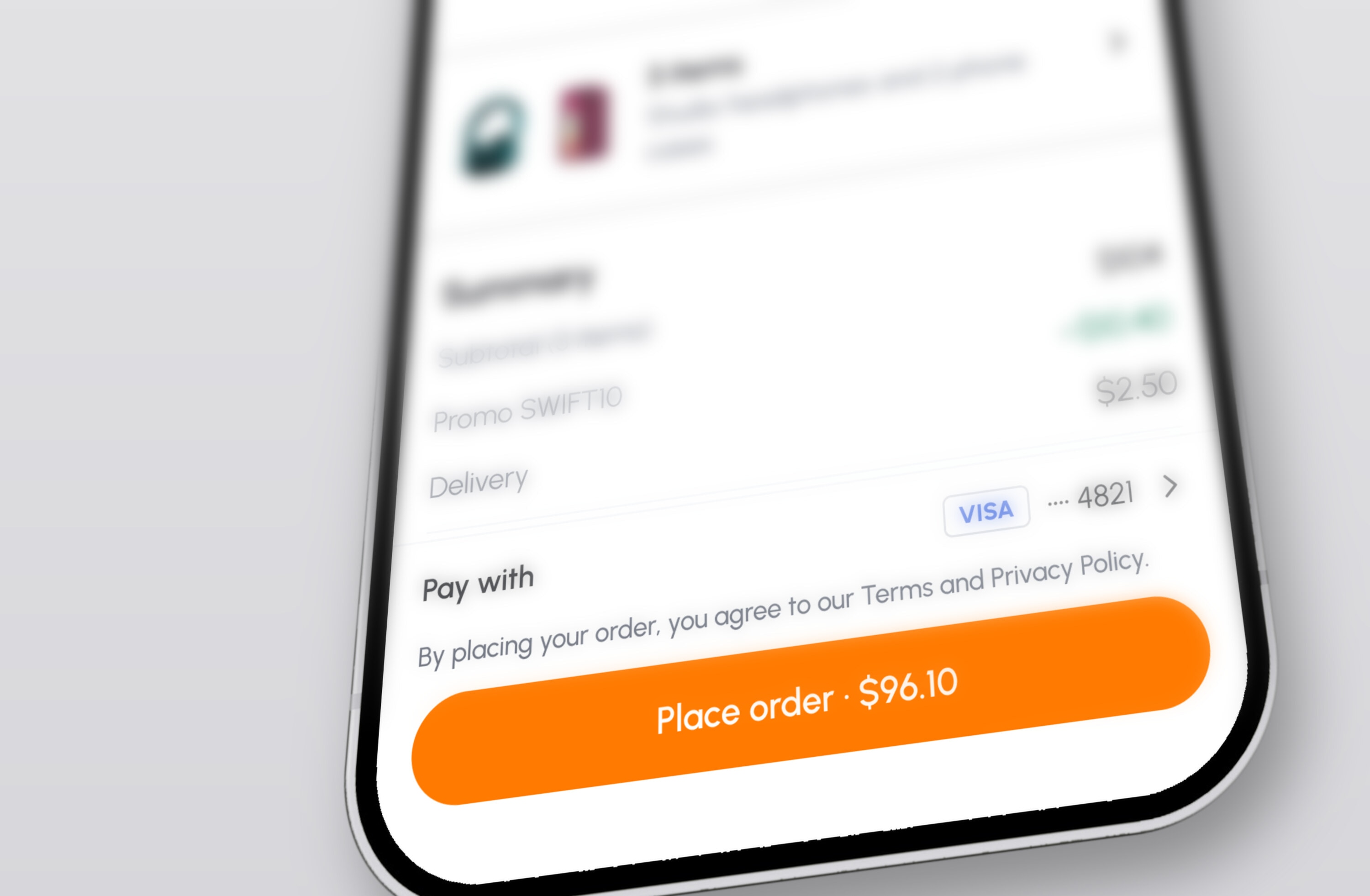
// CHECKOUT

$96.10
Every fee before you pay.
// ORDER PLACED
$96.10
Same total, plus an arrival time.
// RECEIPT
$96.10
Nothing new after payment.
// 08 FINAL DESIGN · DISCOVER
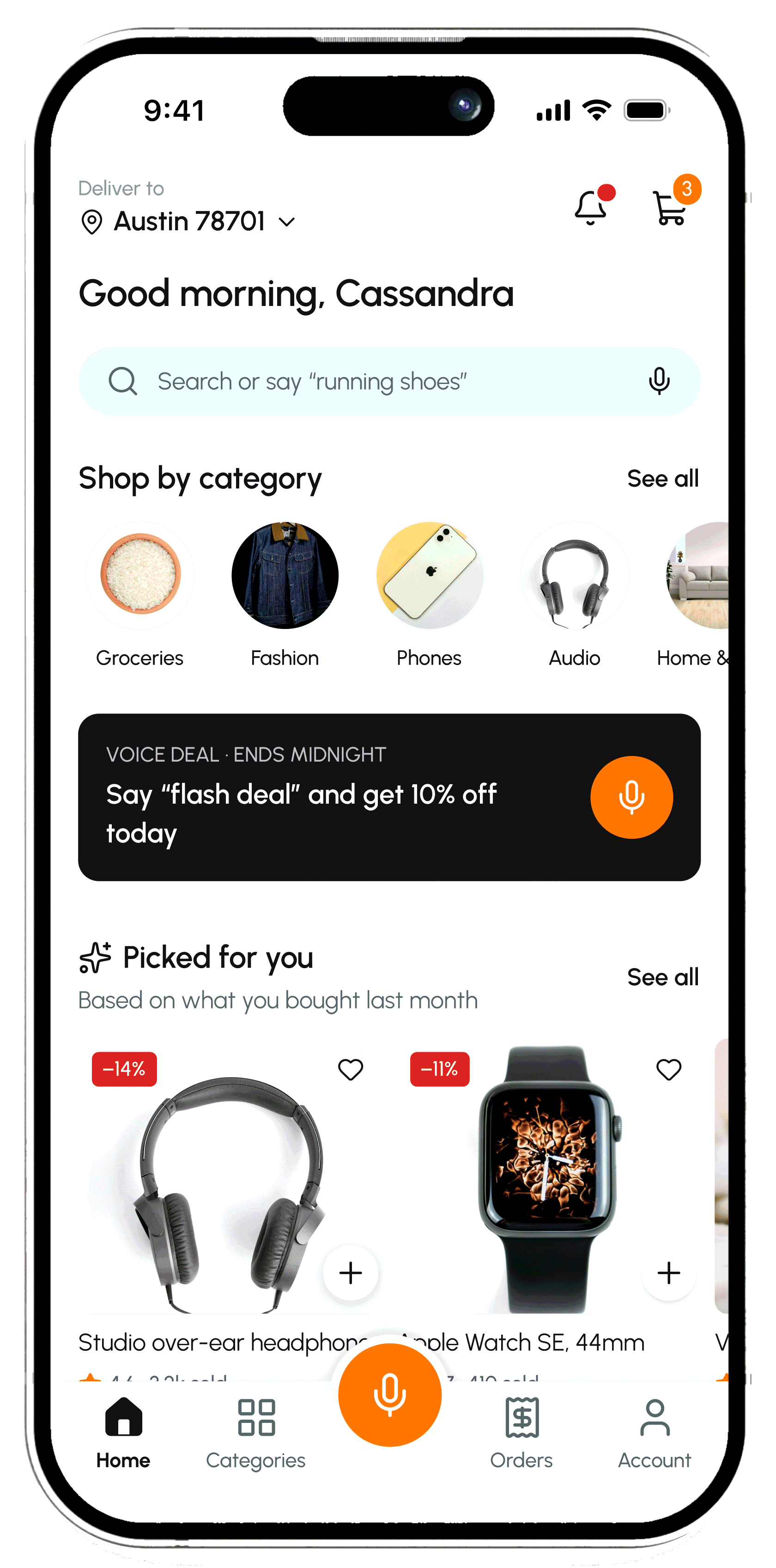
The home screen starts with your voice,not your keyboard.
// SEARCH THAT LISTENS
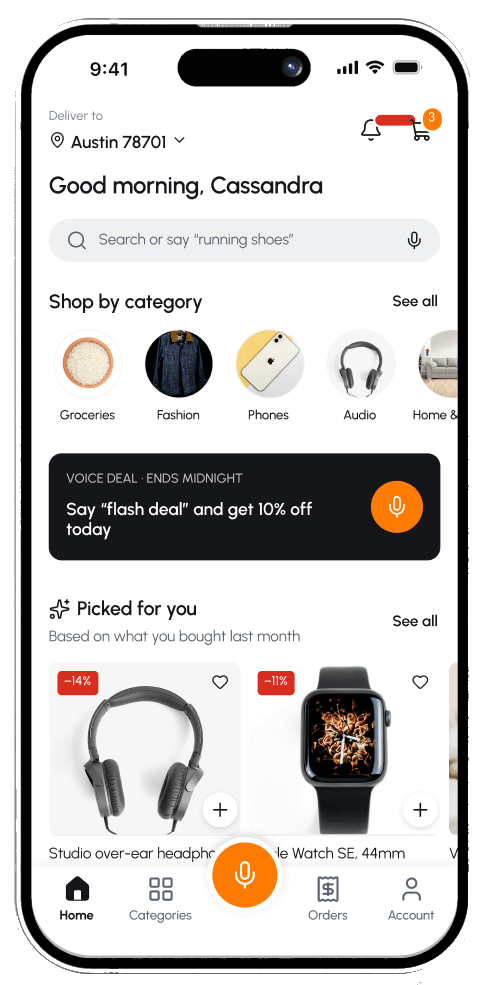
Type, or tap the mic in the same bar. The hint shows what you can say.
// PICKED FOR YOU
Based on what you bought last month, so reordering is one tap.
// VOICE DEAL
A daily deal you unlock by saying it, so people try voice once and learn it.
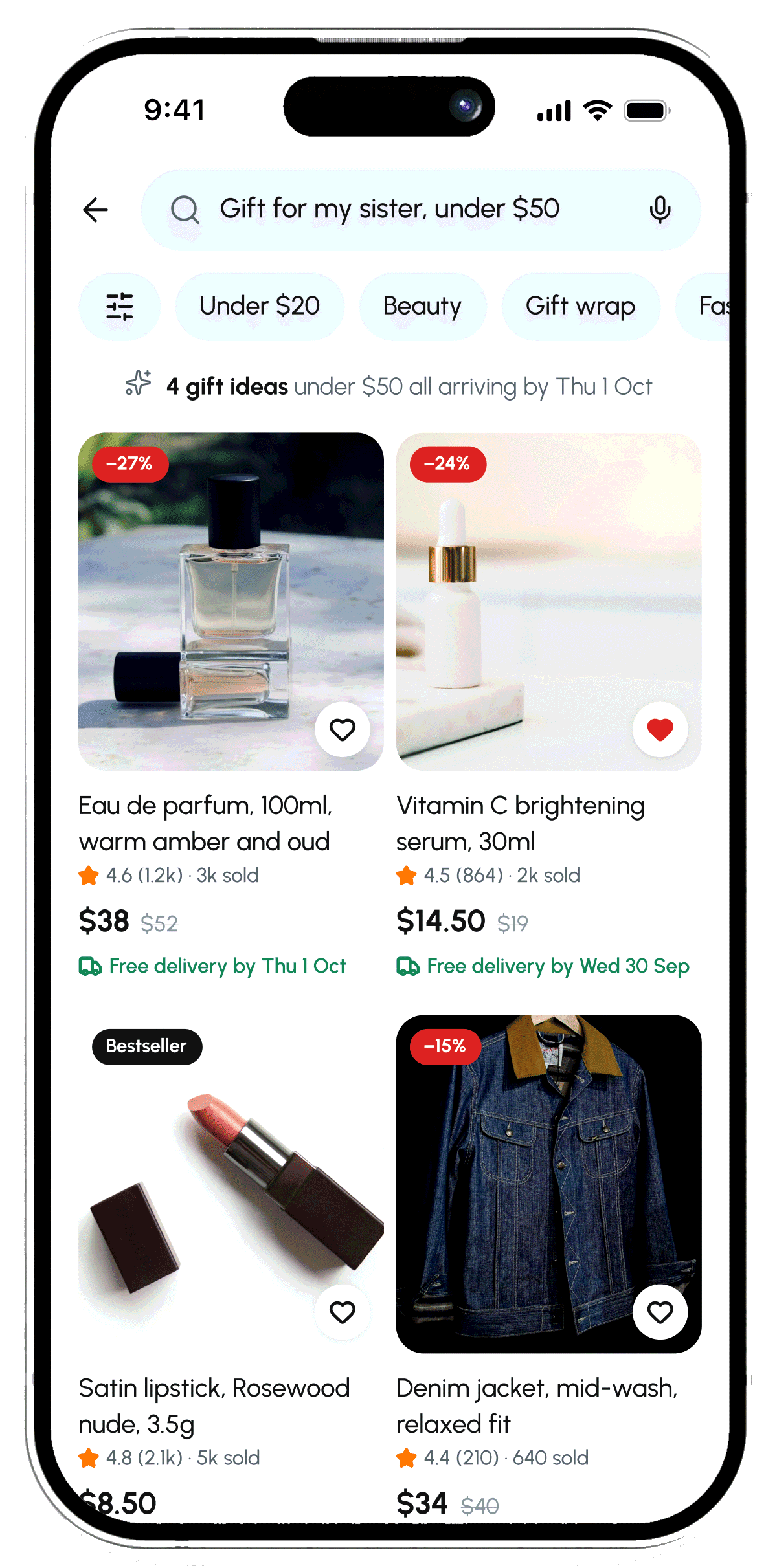
// VOICE RESULTS
What you said stays at the top. Every result adds in one tap.
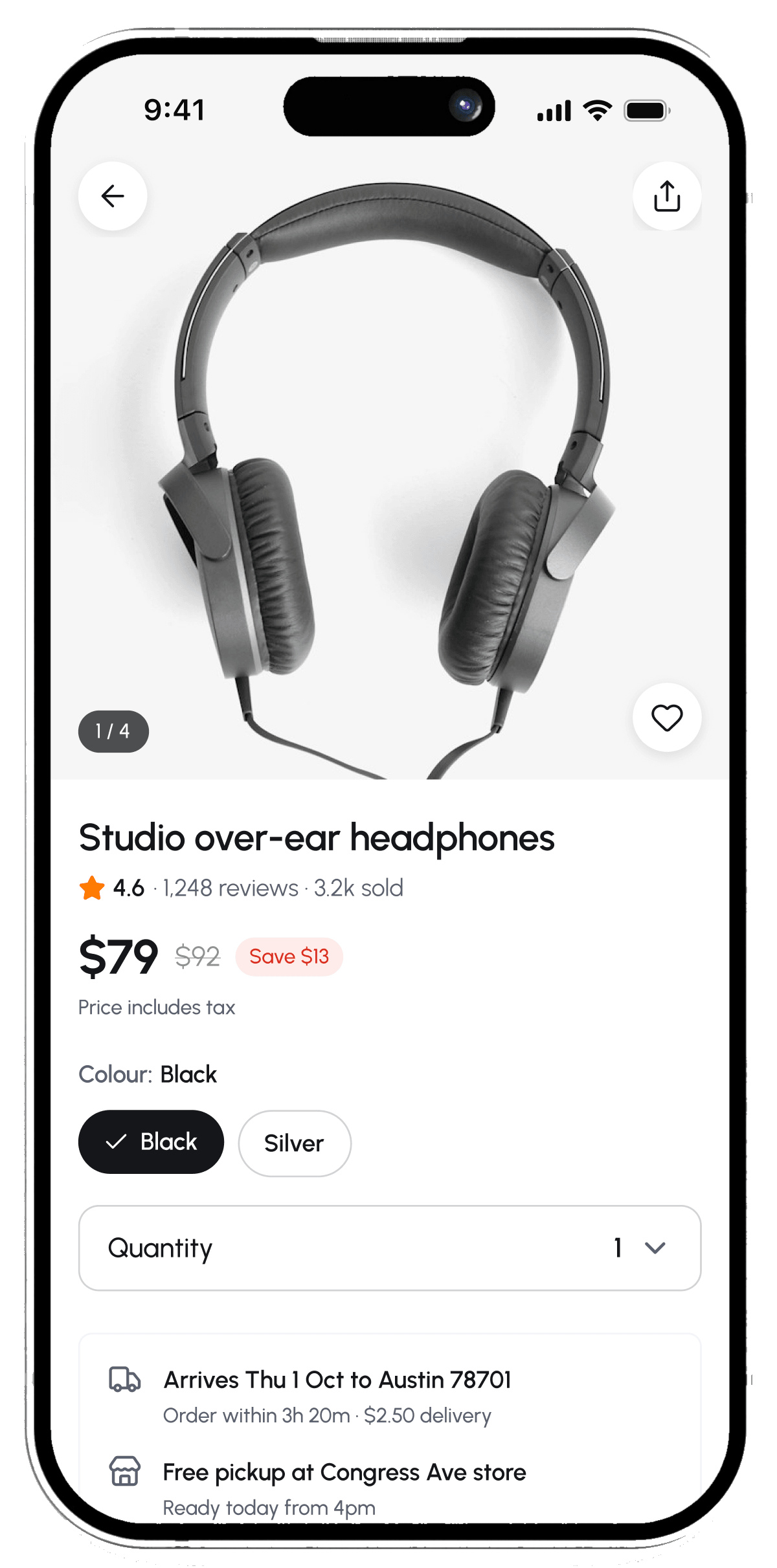
// PRODUCT
Price, arrival date and returns are clear before you commit.

// 09 FINAL DESIGN · TRACK
After paying, people want one answer:when will it arrive?
Mateo R. is on the way

Arriving today, 2–4pm
Confirmed
Shipped
Out for delivery
Delivered
Delivery code
4829
// 10 TRACK AND MANAGE
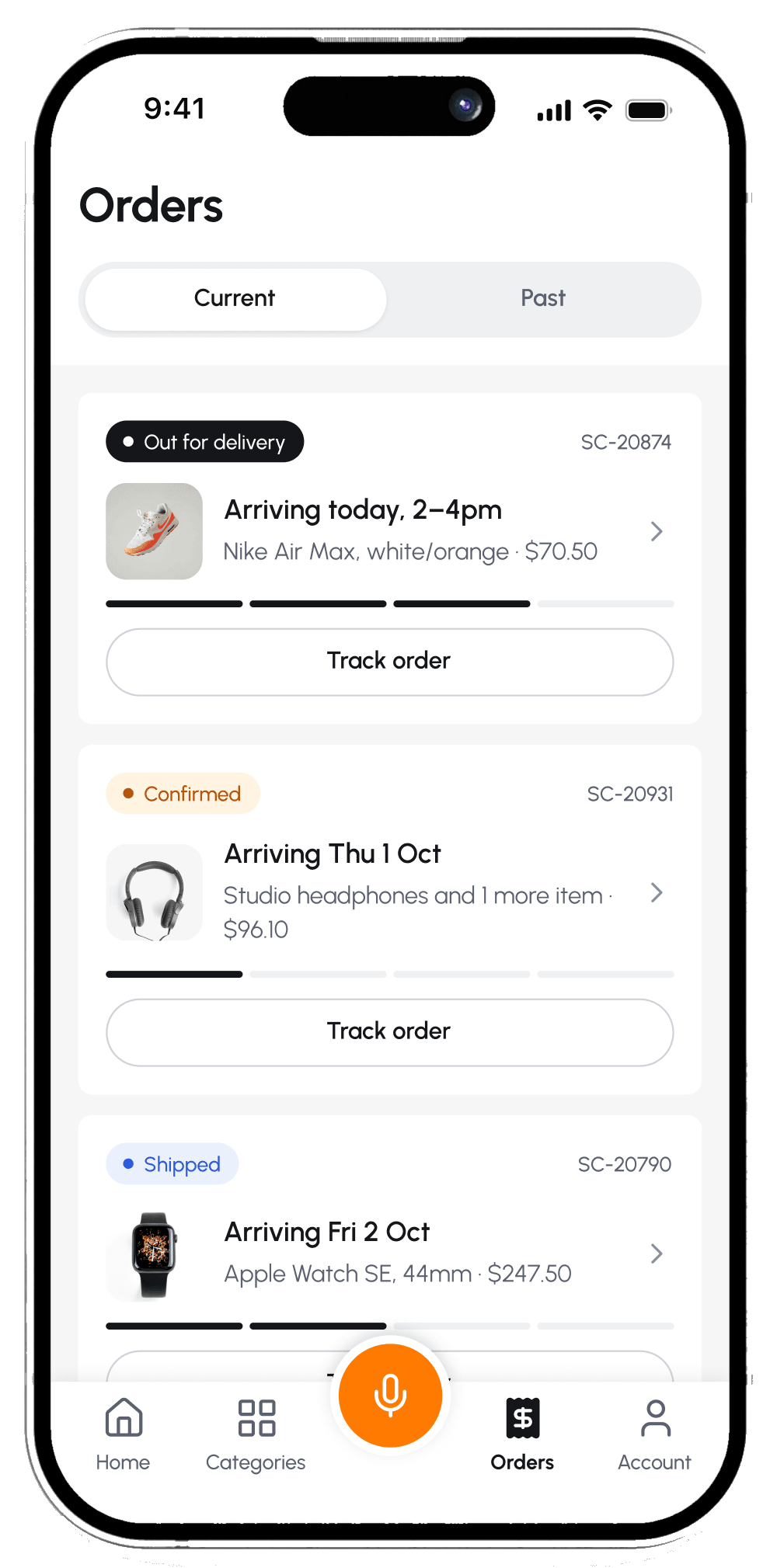
Orders
Status and arrival for every order, at a glance.
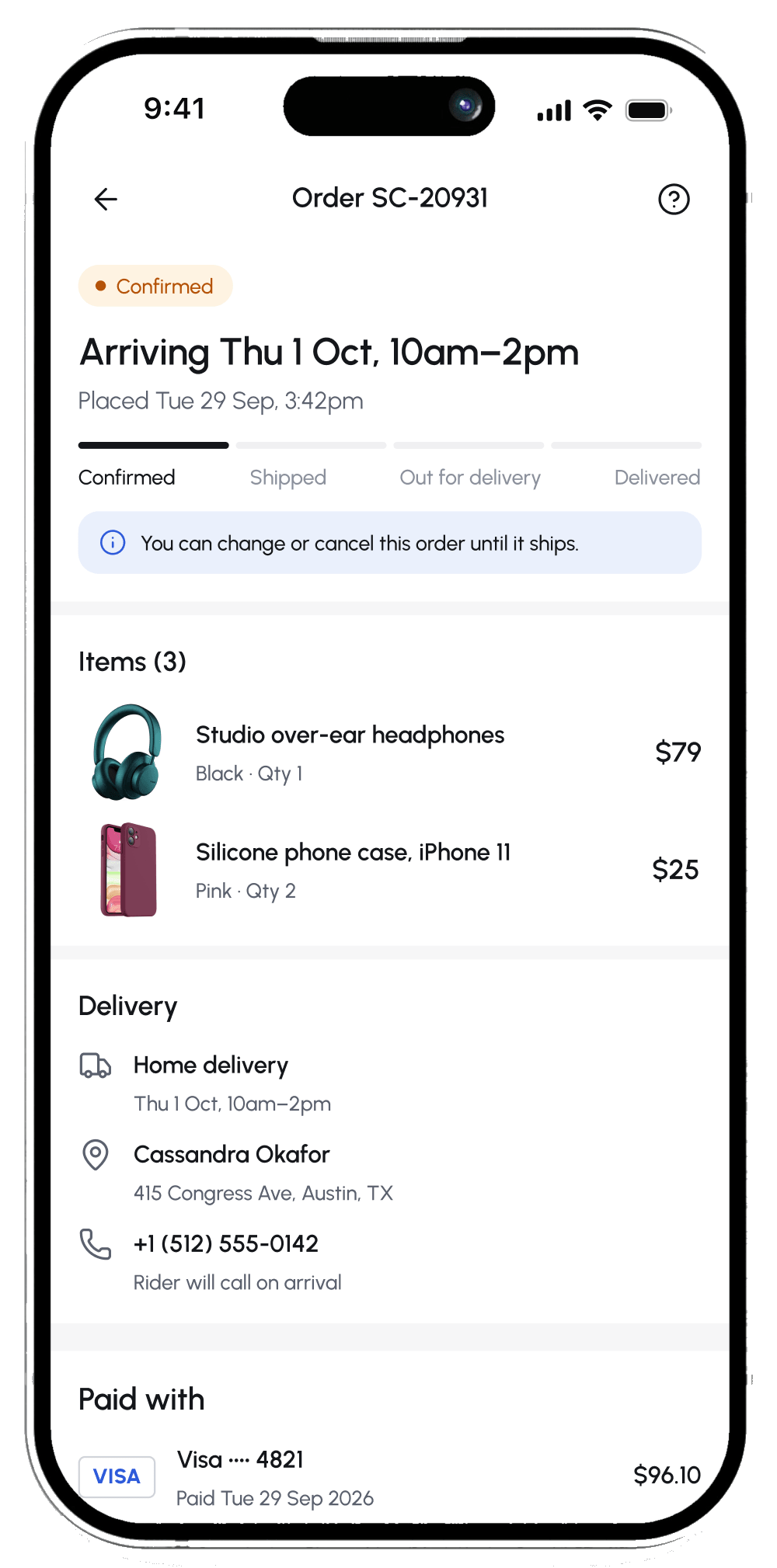
Order details
Actions change with the order’s status.
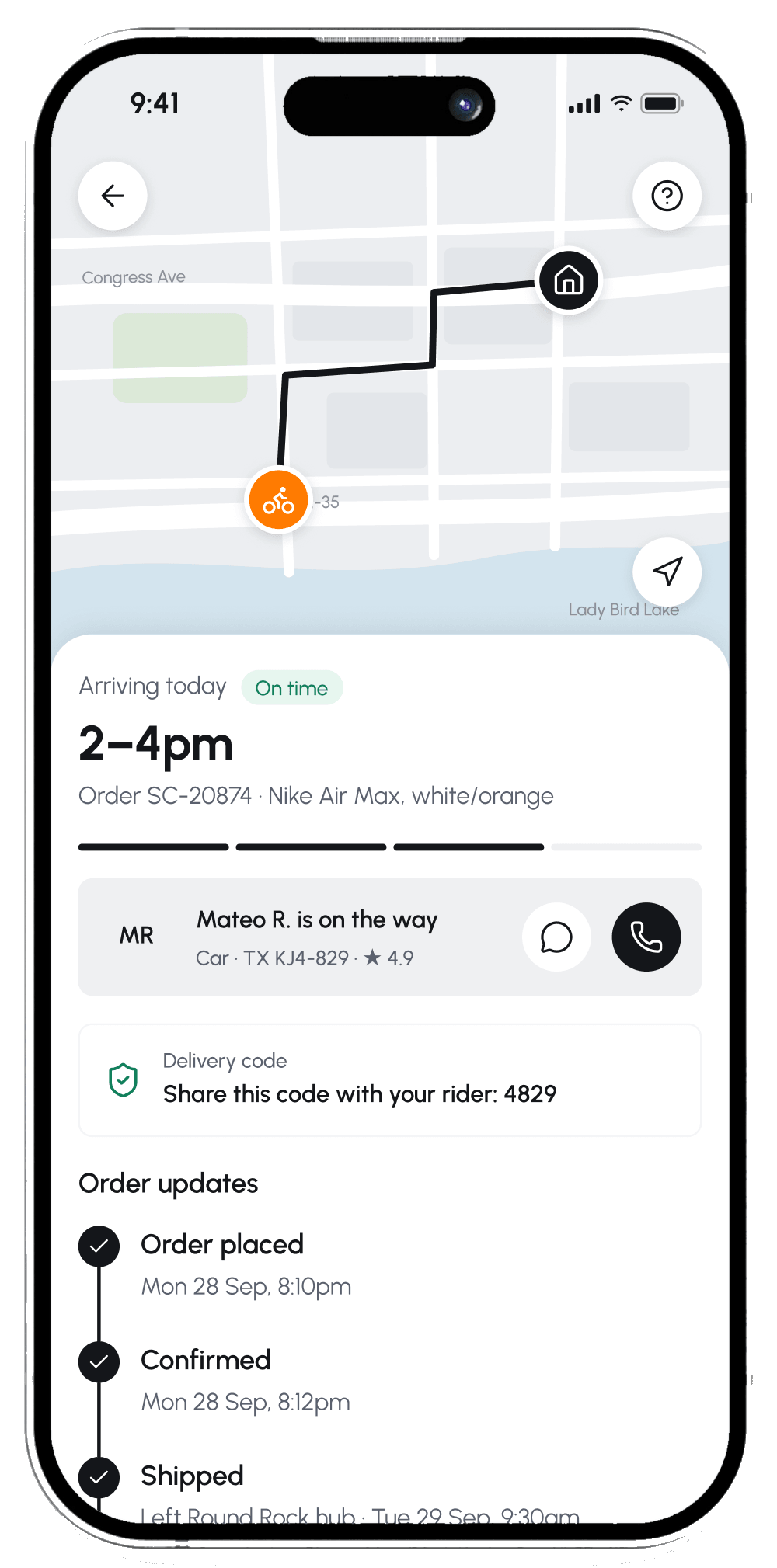
Live tracking
Map, arrival window, and the rider one tap away.
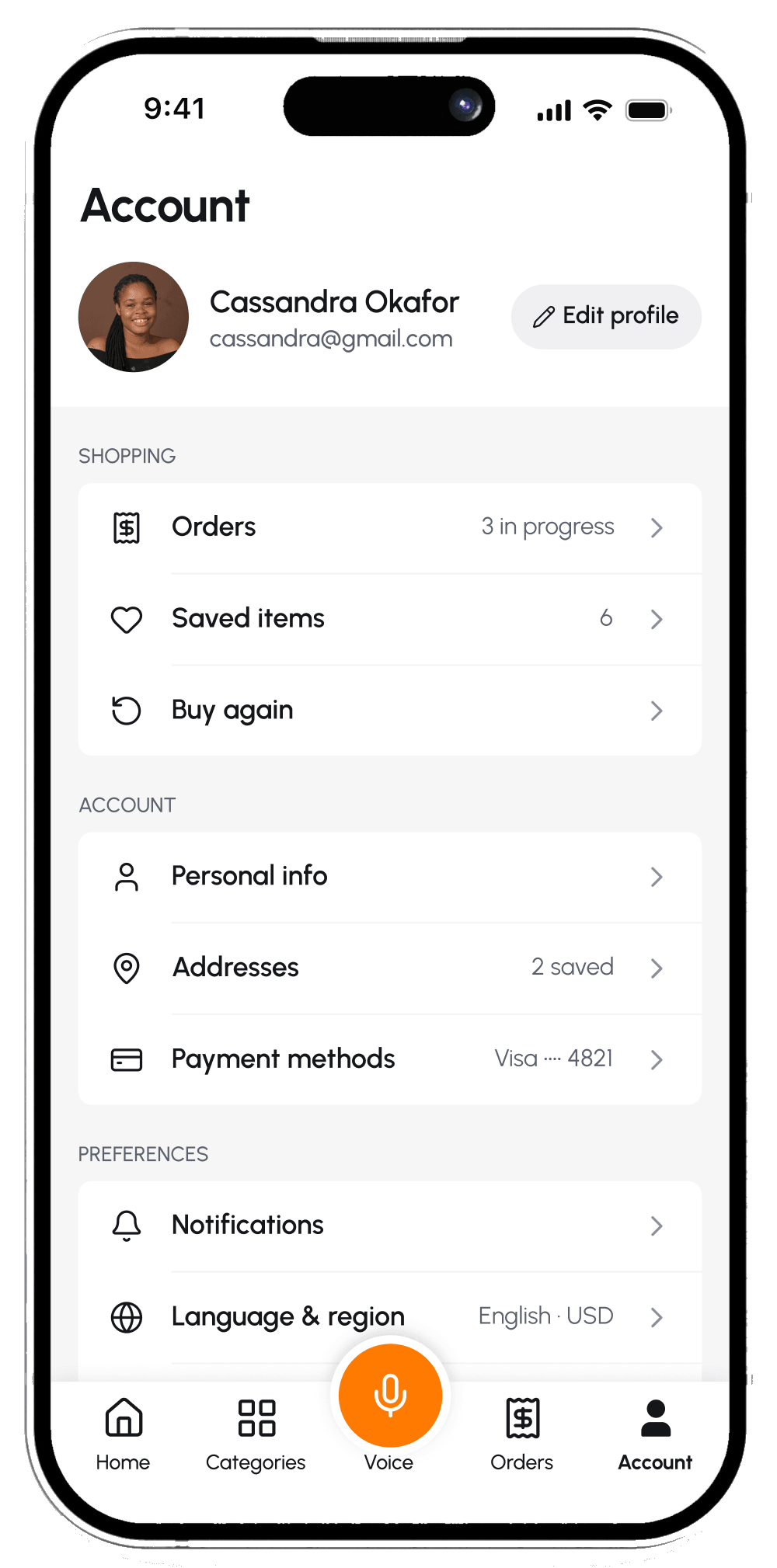
Account
Orders, addresses and payment, grouped.
// WHEN THINGS GO WRONG
Real shopping is messy.Every failure gets a clear way back.
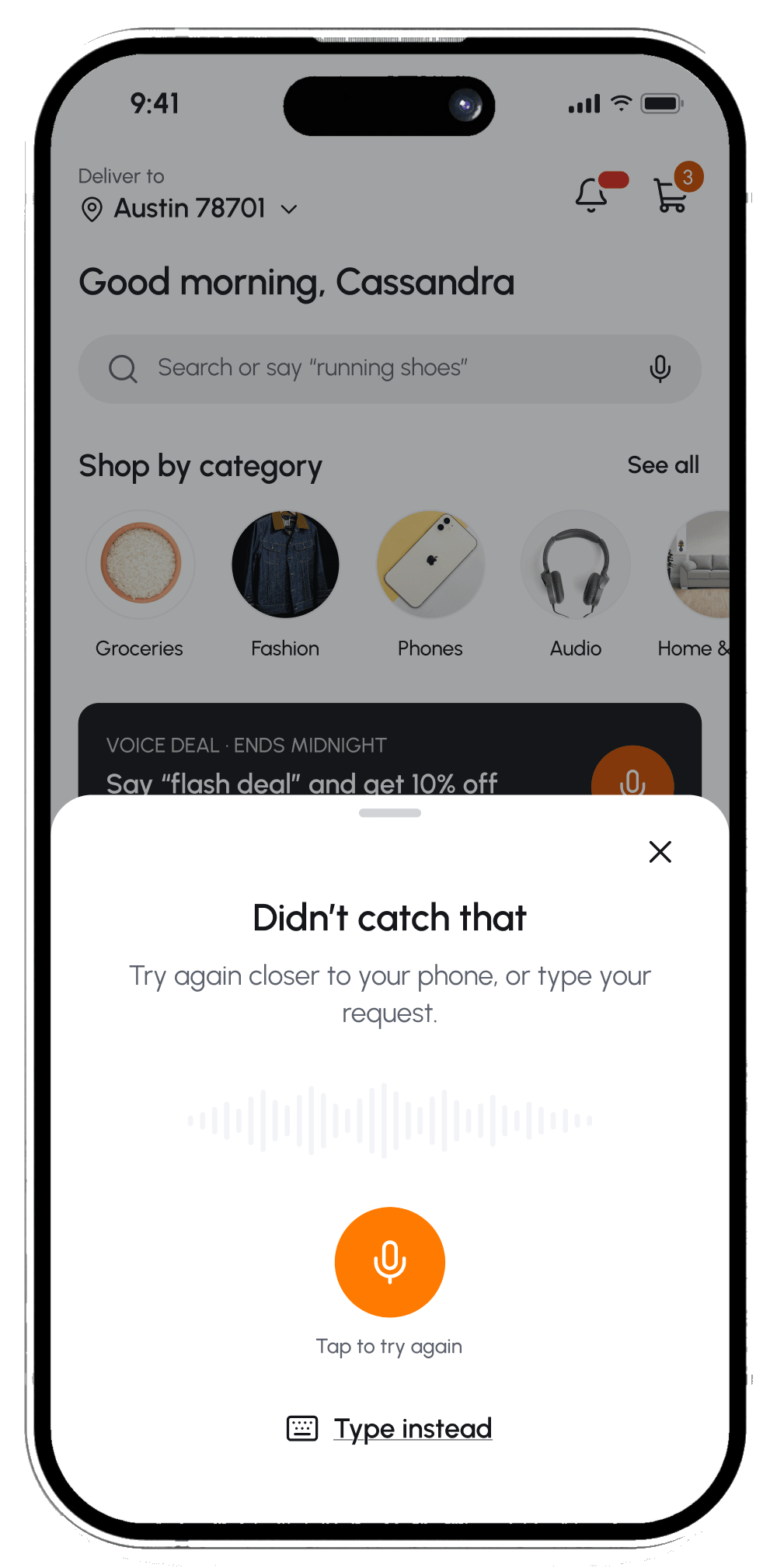
Didn’t catch that
Try again, or type instead. Nothing is lost.
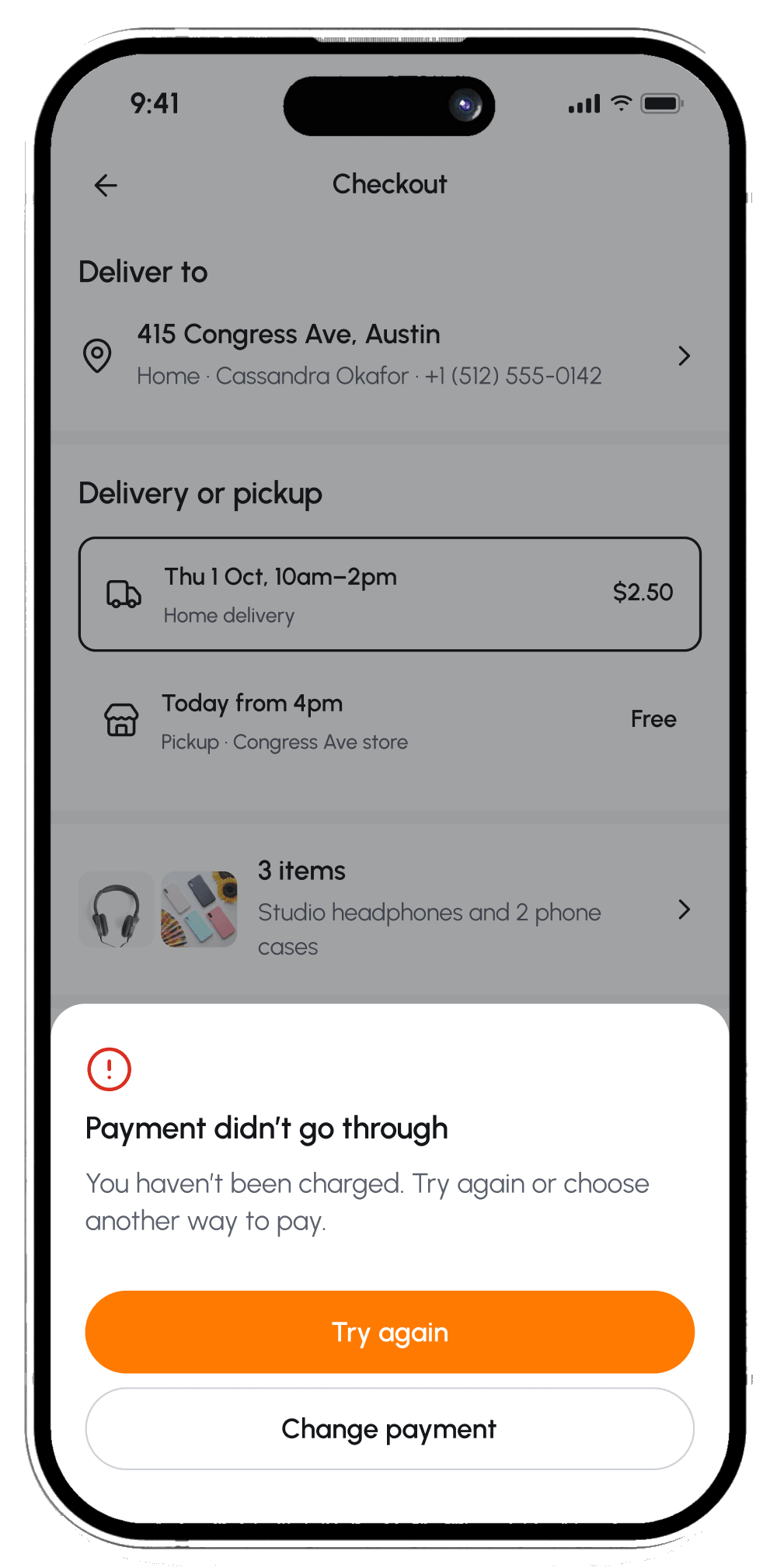
Payment failed
Says nothing was charged, then offers two ways forward.
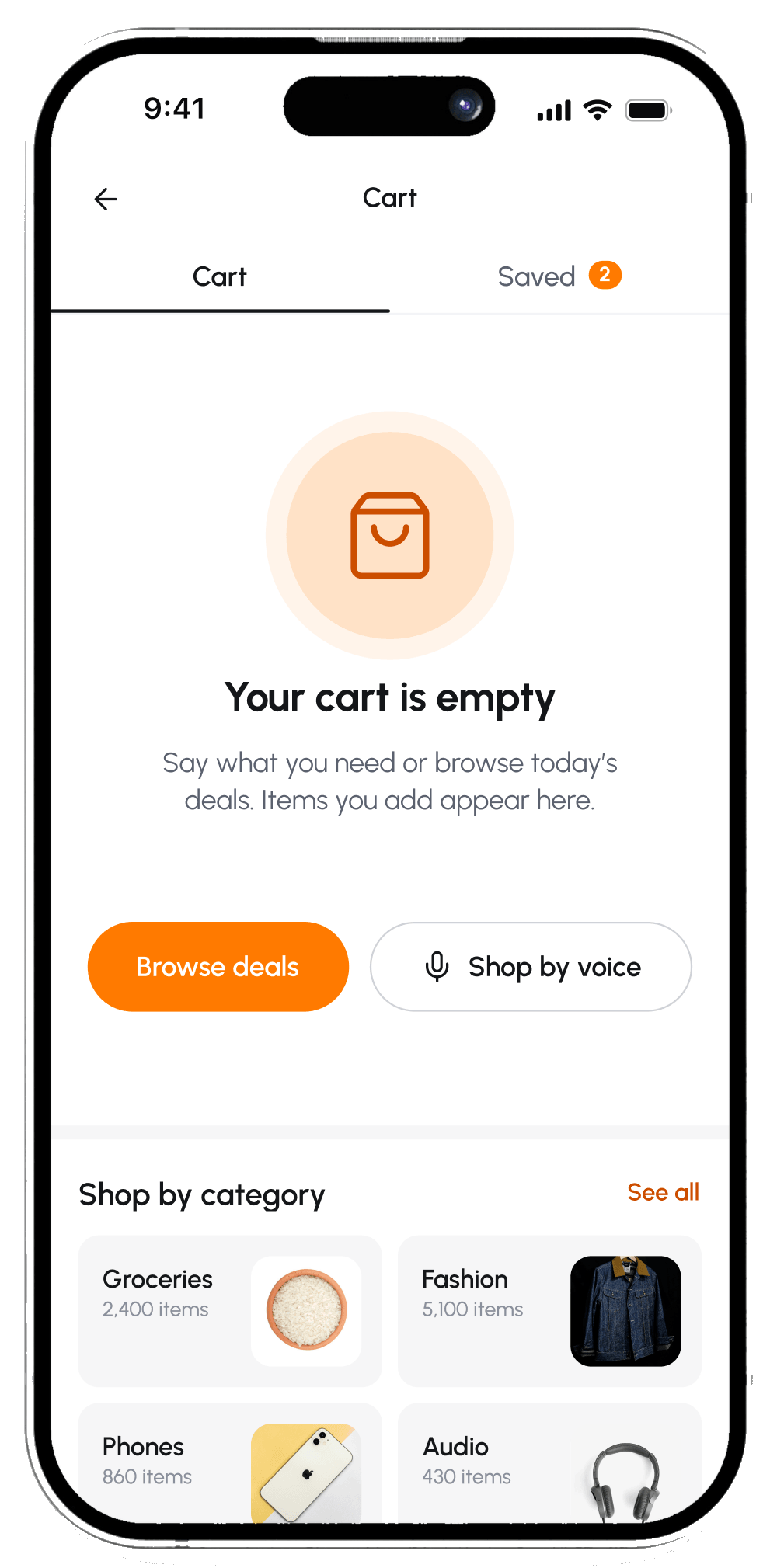
Empty cart
Browse deals or shop by voice to start again.
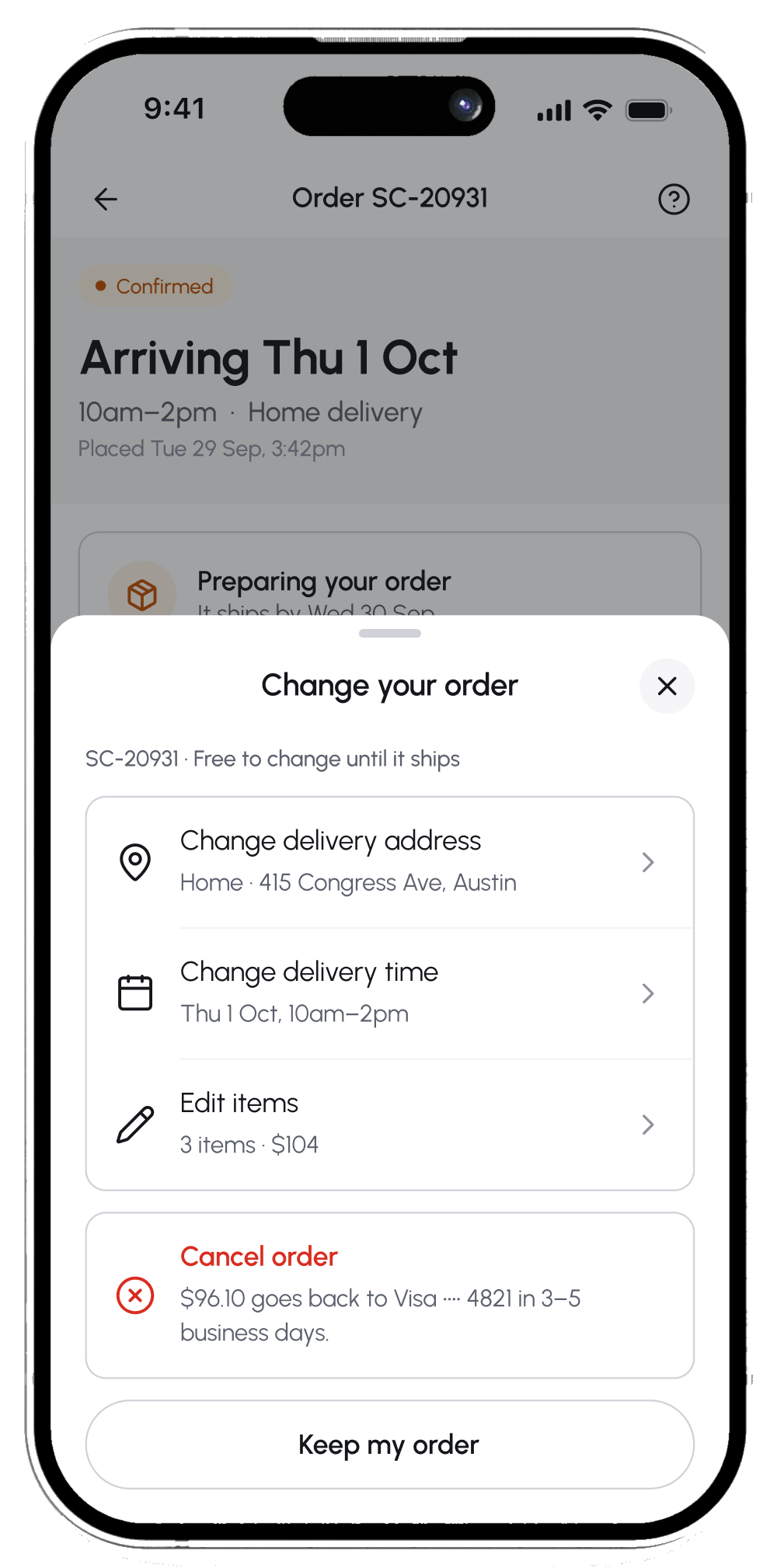
Change or cancel
Mistakes stay fixable until the order ships.
// 11 OUTCOME AND LOOKING BACK
What we delivered,and what I would change.
// RESULTS · USABILITY TESTS WITH 8 SHOPPERS, WEEK 8
6 of 8
testers completed checkout
~2x
faster to add the first item with voice
4.2 / 5
average ease rating from testers
// WHAT WE DELIVERED
 Voice search, 4 screens
- One-total checkout, 4 screens
- Orders, live tracking and account
- Clear ways back for voice, payment, empty cart and order changes
- A shared design system for the team
Status: Handed off to engineering after 8 weeks
// WHAT WE WILL MEASURE NEXT
- How often voice finds the right item on the first try
- Checkout completion, before and after the one-total rule
- Share of orders that start with voice
- How many people open order tracking more than once
// LOOKING BACK
- 01
If I started SwiftCart again, I would add a quick confirm step after voice, because 2 of 8 testers gave up when items were misheard.
- 02
The biggest thing this project taught me was that trust is often one number staying the same from cart to receipt.
- 03
Next, I would measure how often voice adds the right item the first time, to find out if a confirm step pays for itself.